bdtk666 Login
Access your account instantly using your phone number or username. Secure login with ৳400 minimum deposit, ৳145,000 daily withdrawal limit, and 24/7 support.
Three Ways to Access Your Account
bdtk666 supports multiple login methods for your convenience. Choose the option that works for you on any device.
| Method | Speed | Where to Use | Requirements |
|---|---|---|---|
| Phone Number | Instant | Browser, App | 11-digit Bangladesh mobile number used during registration |
| Username | Instant | Browser, App | Custom username (5–20 characters, set during registration) |
| bdtk666 App | Fastest | Android 6.0+ | App installed, biometric login enabled (optional) |
All methods connect to the same account. Your balance, game history, and VIP status remain consistent across browser and bdtk666 App . First-time users need to create an account before logging in.
Four-Step Login Process
Open bdtk666 Login Page
Visit bdtk666.ws on any browser or tap the login button in the bdtk666 App. The login form appears immediately—no registration prompt if you already have an account. Mobile users can bookmark this page for faster access during cricket matches or evening gaming sessions.
Enter Your Credentials
Type your 11-digit phone number (format: 01712345678, no spaces or dashes) or your custom username in the first field. Then enter your password in the second field. Passwords are case-sensitive. If you check "Remember me," your device will keep you logged in for 30 days unless you manually log out.
Click LOG IN
Tap the blue LOG IN button. The system verifies your credentials in under 2 seconds. If details are correct, you'll see your account dashboard with current balance, active bonuses, and quick links to slots, fishing games, and live casino. Wrong password triggers an error message with a link to reset it.
Start Playing or Deposit
Once logged in, you can browse 4,000+ games from JDB, Pragmatic Play, Spribe, PG Soft, and Playtech. Minimum deposit is ৳400 via bKash, Nagad, Rocket, or Upay—funds arrive in 3 minutes. If this is your first deposit, claim the 170% welcome bonus up to ৳24,000 with 15× wagering requirement.
App users can enable biometric login (fingerprint or face unlock) in account settings after first successful login. This skips password entry on future sessions while maintaining the same security level as manual login.
Keep Your Account Safe
bdtk666 uses SSL encryption and secure servers, but account protection starts with your habits. Follow these five rules to avoid unauthorized access.
Use a Strong Password
Combine uppercase, lowercase, numbers, and symbols. Avoid your phone number, birthdate, or common words like "password123." Change it every 90 days. Minimum 8 characters, maximum 20. Never share your password via email, SMS, or social media—bdtk666 support will never ask for it.
Log Out on Shared Devices
Always click LOG OUT after playing on a friend's phone, internet cafe computer, or any device you don't own. "Remember me" should only be used on your personal phone. Each account supports up to 3 simultaneous logins—exceeding this limit logs out the oldest session automatically.
Avoid Public Wi-Fi for Deposits
Public Wi-Fi at cafes, malls, or transport hubs can expose your login credentials to network snooping. Use mobile data (4G/5G) when depositing or withdrawing funds. If you must use public Wi-Fi, enable a VPN first. Browser login is safe on any network for viewing game catalogs or reading terms.
Enable Two-Factor Verification
Link your phone number during registration to receive SMS codes for password resets and large withdrawals. This adds an extra layer beyond your password. If someone steals your password, they still can't access your account without the SMS code sent to your registered number.
Watch for Phishing Sites
Only log in at bdtk666.ws—the official domain. Fake sites copy our design but use different URLs like "bdtk666.com" or "bdtk666-login.net." Check the address bar before entering your password. Our emails come from @bdtk666.ws addresses only. Report suspicious messages to [email protected] immediately.
If you notice unfamiliar login locations or game activity in your account history, change your password immediately and contact 24/7 live chat. bdtk666 monitors for unusual patterns but account security is a shared responsibility.
Login Problems and Solutions
Can't access your account? Most issues resolve in minutes. Find your problem below and follow the solution column.
| Problem | Common Cause | Solution |
|---|---|---|
| "Invalid phone number or password" | Typo in phone number (missing digit, extra space) or wrong password (Caps Lock on, wrong case) | Re-enter phone number without spaces or dashes. Check Caps Lock indicator. If password is forgotten, click "Forgot password?" to reset via SMS. After 5 failed attempts, account locks for 15 minutes. |
| Page won't load / blank screen | Poor internet connection, browser cache issue, or server maintenance (rare) | Refresh page. Clear browser cache (Ctrl+Shift+Delete). Try different browser or switch from Wi-Fi to mobile data. If all browsers fail, check bdtk666 social media for maintenance announcements—usually under 30 minutes. |
| "Account temporarily locked" | Too many wrong password attempts (5+ in 10 minutes) or suspicious activity detected by security system | Wait 15 minutes, then try again with correct password. If locked for security review, contact live chat with your phone number and last deposit date. Review takes 1–3 hours during business hours, up to 24 hours overnight. |
| SMS verification code not arriving | Phone number entered during password reset doesn't match registration, network delay, or SMS inbox full | Check spam/junk folder. Ensure you entered the exact phone number used at registration. Wait 3 minutes before requesting a new code. If still no SMS after 10 minutes, contact support with alternative ID proof (NID, passport, or driving licence). |
| Balance shows ৳0 after login | Wrong account accessed (multiple accounts using similar phone numbers) or display glitch | Log out and log back in. Check transaction history to confirm last deposit. If balance is genuinely missing, screenshot your last deposit receipt (bKash/Nagad confirmation) and contact 24/7 live chat immediately. Balance restoration takes 10–30 minutes with proof. |
| App login button does nothing | Outdated app version (older than 3.2.5), Android version below 6.0, or device storage full | Download latest APK from bdtk666 App page (58 MB, updated November 2026). Uninstall old version first. Ensure Android 6.0+ and at least 200 MB free space. After reinstall, login credentials remain the same as browser. |
Still stuck? Live chat agents respond in under 2 minutes during peak hours (6 PM–11 PM Bangladesh time). Have your phone number ready. Email [email protected] for non-urgent issues—replies within 4 hours.
Forgot Your Password? Reset in Minutes
Password recovery uses SMS verification to your registered phone number. No email required. Follow these three steps to regain access.
Click "Forgot Password?" Link
On the login form, tap the "Forgot password?" link below the password field. This opens the recovery page. Enter your 11-digit phone number (the one you used during registration—not a new number). System checks if this phone exists in our database. If not found, you'll see an error and should contact support with ID proof.
Receive and Enter SMS Code
Within 60 seconds, a 6-digit code arrives via SMS from bdtk666. Enter this code on the verification page. Code expires after 5 minutes—request a new one if it times out. After correct code entry, you'll see the "Create New Password" form. Choose a password different from your old one.
Set New Password and Log In
Type your new password (8–20 characters, mix of letters, numbers, symbols). Confirm by typing it again in the second field. Click RESET PASSWORD. Success message appears, then you're redirected to login page. Use your phone number and new password to log in. Old password becomes invalid immediately upon reset.
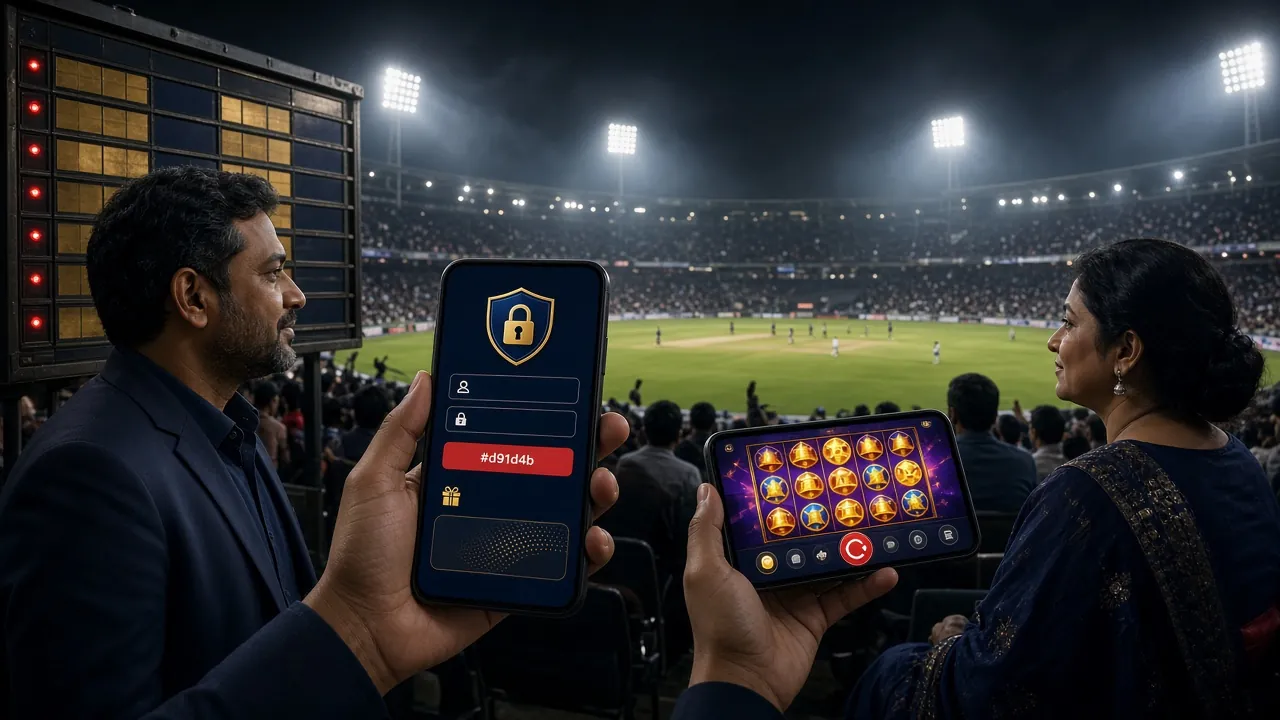
Can't receive SMS? Check these: phone number matches registration exactly (no typos), phone has signal bars, SMS inbox isn't full, and you're not blocking unknown senders. For SIM card changes or lost phone access, contact live chat with NID or passport photo—manual verification takes 1–3 hours.
Common Login Questions
Can I log in using email instead of phone number?
No. bdtk666 uses phone-based registration to comply with Bangladesh gaming regulations and ensure faster verification. Your 11-digit mobile number serves as your username. If you prefer not typing numbers, set a custom username during registration (5–20 characters)—then use that username for login instead of your phone. Both methods access the same account, balance, and game history.
How many devices can stay logged in simultaneously?
Up to 3 devices at once. This covers scenarios like browsing games on your laptop, playing slots on your phone, and keeping the app open on a tablet. When you log in on a 4th device, the oldest session automatically logs out. For security, we recommend logging out manually on any device you don't use daily. Shared devices should never use "Remember me" to avoid unauthorized access by others.
Why does login fail after I changed my phone number with my carrier?
Your bdtk666 account is tied to the phone number entered during registration—not your physical SIM card. If your carrier gave you a new number, the old number in our system won't match. Contact 24/7 live chat with proof: photo of your NID or passport, plus a recent deposit screenshot. Support updates your account to the new number within 2 hours. After update, use the new number to log in and receive SMS codes.
Does bdtk666 App require separate login credentials from the browser?
No. Browser and app share the same login system. Register once via browser, then download the bdtk666 App (3.2.5, 58 MB) and use identical phone number and password. Your balance, game progress, VIP tier, and active bonuses sync instantly across all platforms. The app offers biometric login (fingerprint or face unlock) for faster access, but this is optional—password login always works.
What happens if I enter the wrong password 10 times in a row?
After 5 failed attempts within 10 minutes, your account locks for 15 minutes to prevent brute-force attacks. During lockout, even the correct password won't work. Wait 15 minutes, then try again. If you genuinely forgot your password, click "Forgot password?" on the login form to reset via SMS instead of guessing. After 10+ failed attempts in one day, security review may extend the lock to 24 hours—contact support with ID proof to expedite.
Can I stay logged in for a week without re-entering my password?
Yes, if you check "Remember me" during login. This keeps you logged in for 30 days on that specific device and browser. Clearing cookies, using incognito mode, or switching browsers logs you out. On the bdtk666 App, biometric login (enabled in settings) allows instant access without typing password—valid until you manually log out. For security, only use persistent login on your personal phone, never on shared or public devices.
Ready to Start Playing?
Log in now to access 4,000+ games, claim your 170% welcome bonus up to ৳24,000, and enjoy 3-minute deposits via bKash, Nagad, Rocket, or Upay.
Need help? Contact [email protected] or use 24/7 live chat.